Mobile Mouse: Touchpad for Tab1.5
Continue to app
Free Version
Publisher Description
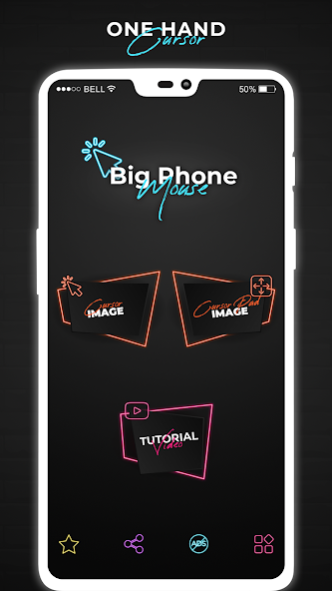
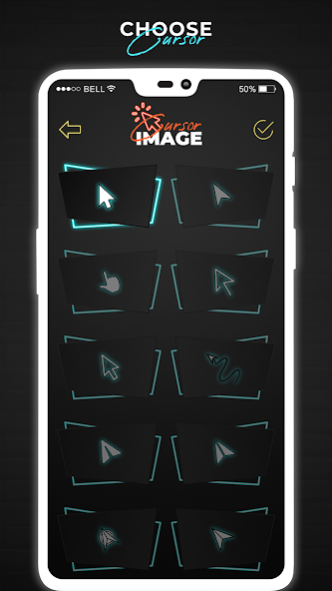
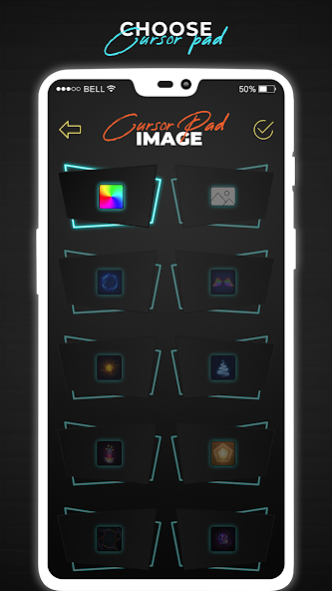
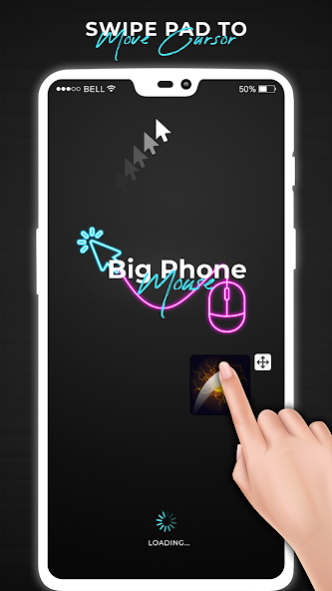
Mouse pointer is useful and the best solution to use touchpad and
cursor/pointer on your phone screen
. First of all, you need to enable pointer/cursor and
mouse touch pointer
both buttons/options simultaneously for this app.
We present mobile
mouse cursor
mobile for Android mobile phones with mouse cursor pointer on screen. This
Mobile Cursor Touchpad
takes a small portion of the screen at the bottom and shows you a computer-like mouse cursor pointer. This app offers single, double and long click functionality with
mouse pointer for large phones
and smartphone screens. You can
swipe on an edge of the screen
in this app.
Move the
mouse pointer with your finger
on the touchpad, then press it to click on the screen where the mouse cursor is. Therefore, using one hand to touch the upper part of the screen is simple.
Mobile Mouse: Touchpad for Tab
is the best
Mousepad for Android Phones
because it will turn your mobile phone or tablet into a user-friendly one. The
Custom Mouse Pad
has multiple action buttons that help you operate your phone or tablet screen very quickly and with one hand.
Mobile Mouse Features: Tab Trackpad
- You can adjust the pointer and touchpad area according to user needs.
- Change the opacity of the mouse cursor touchpad.
- Place the mouse pad where it is most comfortable on the screen.
- One-handed phone operation is very convenient for large phones or tablets.
- A simple touch to launch your favorite app is a number of slider images.
1. On-screen mouse
with cursor, mouse pad With mouse click and movement:
With
Mobile Mouse
feature on screen you can get mouse cursor on screen, with this you get click option, you get mouse trackpad and you have option to move the whole widget from the sidebar with the mouse to any area of the screen.
2. Mouse cursor icons:
Mouse Pointer app of cell phone mouse screen gives you more than 10 different kinds of cursors icon options and you can select any app cursor from it.
3. On-screen sidebar
- Change sidebar position
- Expand mouse pad view
- Perform a back action
- Show recent apps
The custom mouse pad
has multiple action buttons that help you quickly operate a large-screen mobile phone and tablet with one hand. So it's like one-handed mode without losing screen content size.
How to use - Mobile Mouse: Touchpad for Tab?
- Install mobile mouse: tab touchpad for mobile app.
- Give full permissions to touchpad mouse app.
- On start button, you will get hand-operated mouse pointer in the corner.
The main basic features of the mobile mouse: touchpad for the tab:
1.
android.permission.BIND_ACCESSIBILITY_SERVICE
: We use accessibility permission to allow mouse clicks on the screen.
With advanced
Mobile Phone Mouse
app, you can confirm the cursor and touchpad area as per user requirement. You can adjust the
mouse cursor
and touchpad according to user needs/requirements.
About Mobile Mouse: Touchpad for Tab
Mobile Mouse: Touchpad for Tab is a free app for Android published in the System Maintenance list of apps, part of System Utilities.
The company that develops Mobile Mouse: Touchpad for Tab is Pic Frame Photo Collage Maker & Picture Editor. The latest version released by its developer is 1.5.
To install Mobile Mouse: Touchpad for Tab on your Android device, just click the green Continue To App button above to start the installation process. The app is listed on our website since 2023-11-09 and was downloaded 107 times. We have already checked if the download link is safe, however for your own protection we recommend that you scan the downloaded app with your antivirus. Your antivirus may detect the Mobile Mouse: Touchpad for Tab as malware as malware if the download link to com.reachability.cursor.computer.mouse.pointer.phone.hand is broken.
The company that develops Mobile Mouse: Touchpad for Tab is Pic Frame Photo Collage Maker & Picture Editor. The latest version released by its developer is 1.5.
To install Mobile Mouse: Touchpad for Tab on your Android device, just click the green Continue To App button above to start the installation process. The app is listed on our website since 2023-11-09 and was downloaded 107 times. We have already checked if the download link is safe, however for your own protection we recommend that you scan the downloaded app with your antivirus. Your antivirus may detect the Mobile Mouse: Touchpad for Tab as malware as malware if the download link to com.reachability.cursor.computer.mouse.pointer.phone.hand is broken.
How to install Mobile Mouse: Touchpad for Tab on your Android device:
- Click on the Continue To App button on our website. This will redirect you to Google Play.
- Once the Mobile Mouse: Touchpad for Tab is shown in the Google Play listing of your Android device, you can start its download and installation. Tap on the Install button located below the search bar and to the right of the app icon.
- A pop-up window with the permissions required by Mobile Mouse: Touchpad for Tab will be shown. Click on Accept to continue the process.
- Mobile Mouse: Touchpad for Tab will be downloaded onto your device, displaying a progress. Once the download completes, the installation will start and you'll get a notification after the installation is finished.
Program Details
General
Publisher
Released Date
2023-11-09
Languages
English
System requirements
Operating systems
Android
Download information
File size
N/A
Total downloads
107
Pricing
License model
Free
Price
Version History
Here you can find the changelog of Mobile Mouse: Touchpad for Tab since it was posted on our website on 2021-12-11. The latest version is 1.5 and it was updated on Soft112 on 12 October, 2026. See below the changes in each version:
version 1.5
posted on 2023-11-09
Thanks for staying with us! The new version offers:
- Improve Performance.
- Bug Fixes
We love getting feedback from all of you! Please leave your feedback.
